Add to Home Screen
Install PocketProof on your iPhone for quick access to your documents anytime.
1
Open in Safari
Visit pocketproof.co in Safari on your iPhone
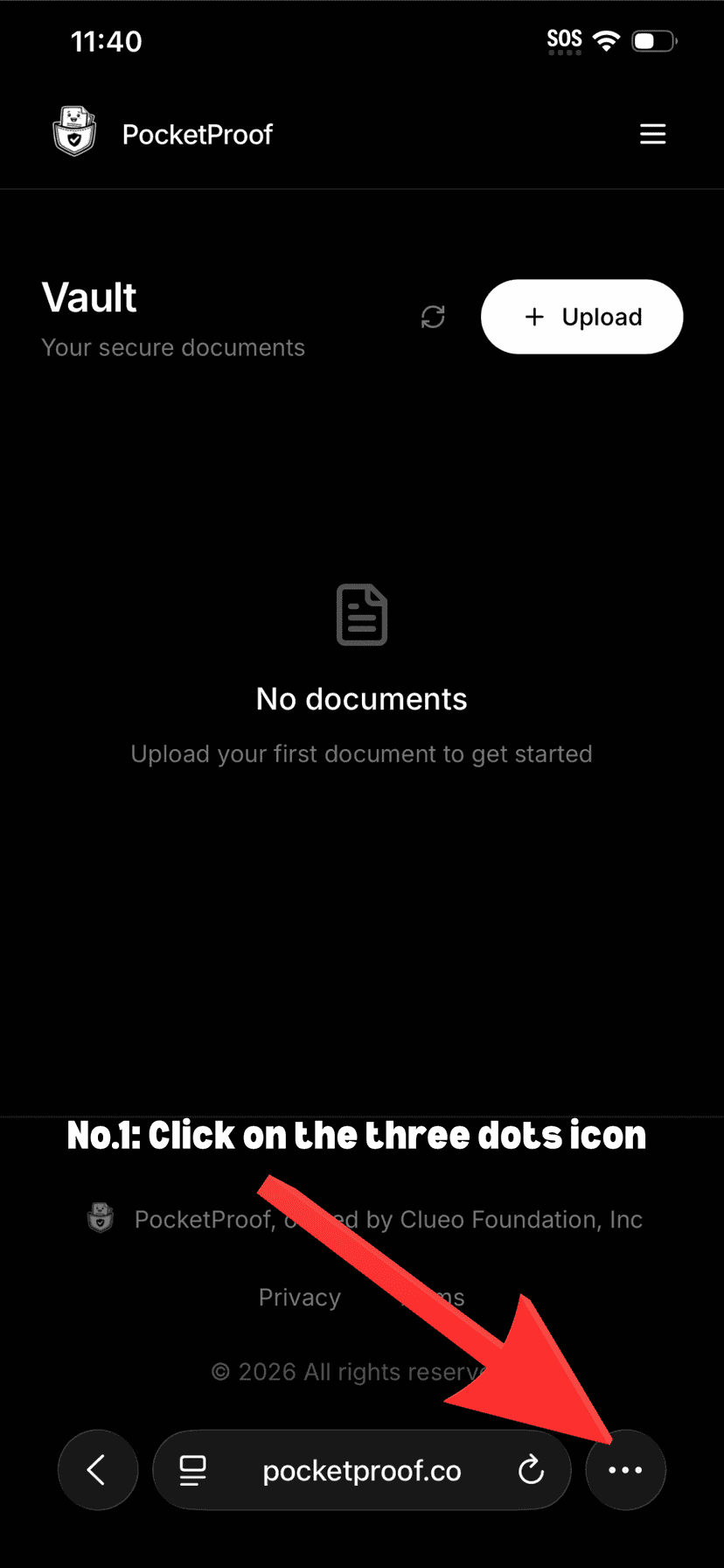
2
Tap the Share button
Tap the share icon at the bottom of the screen
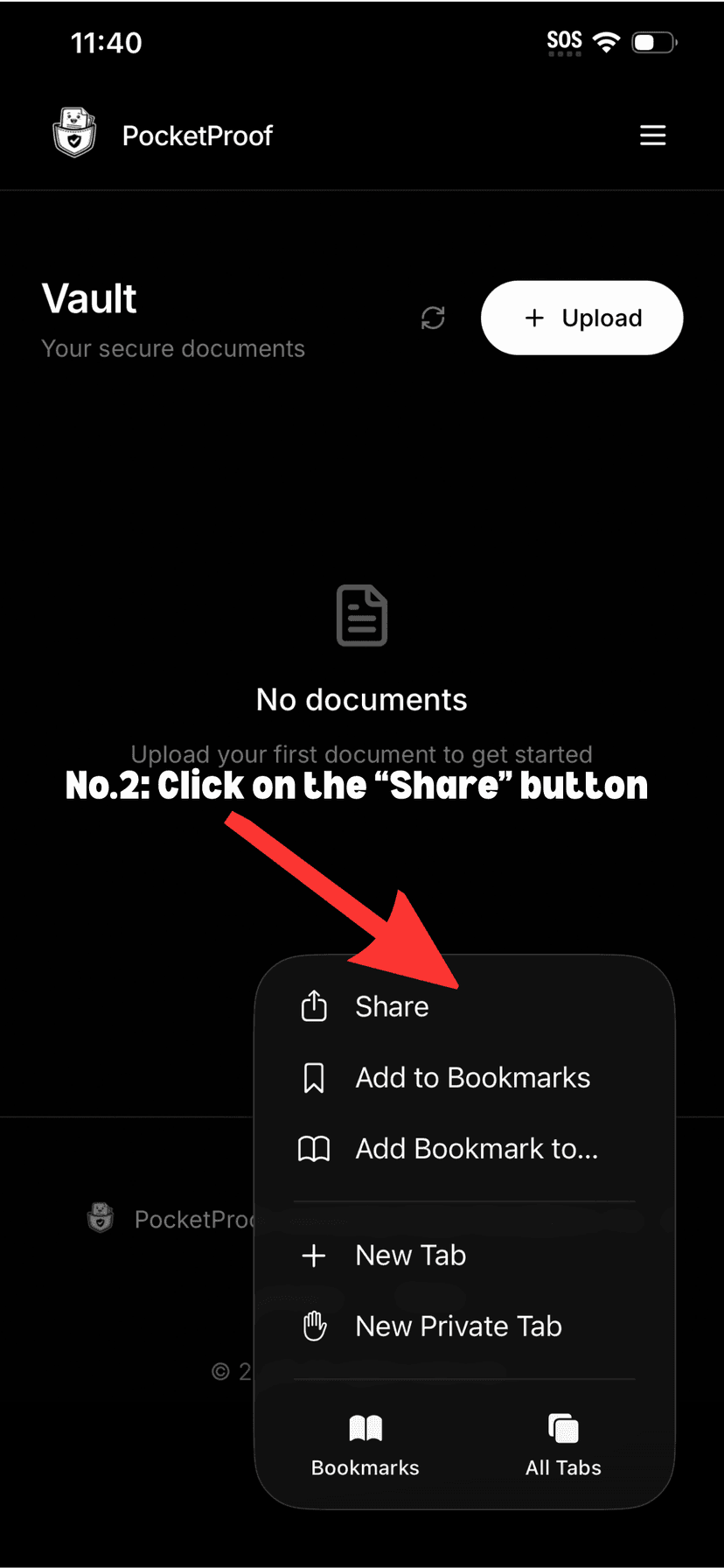
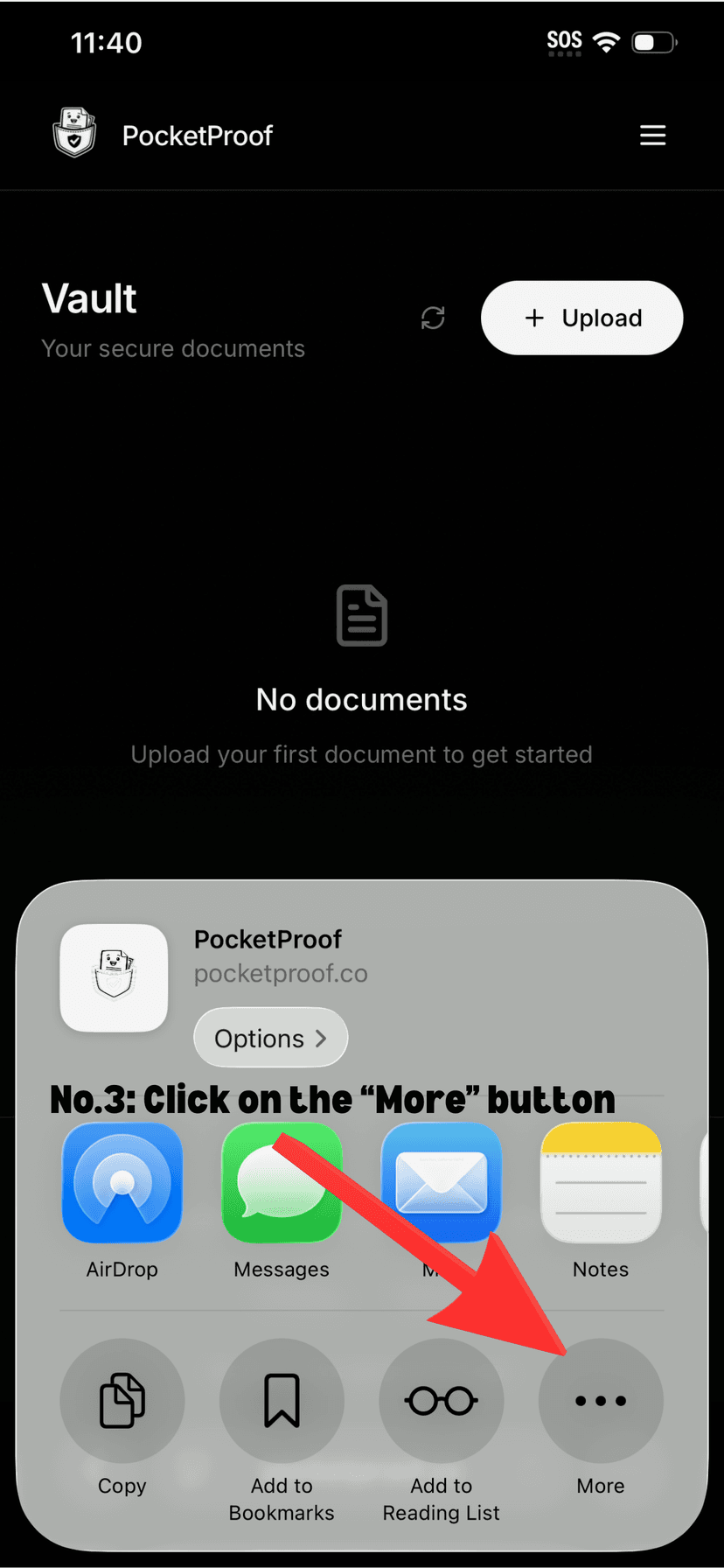
3
Scroll down
Scroll down in the share menu
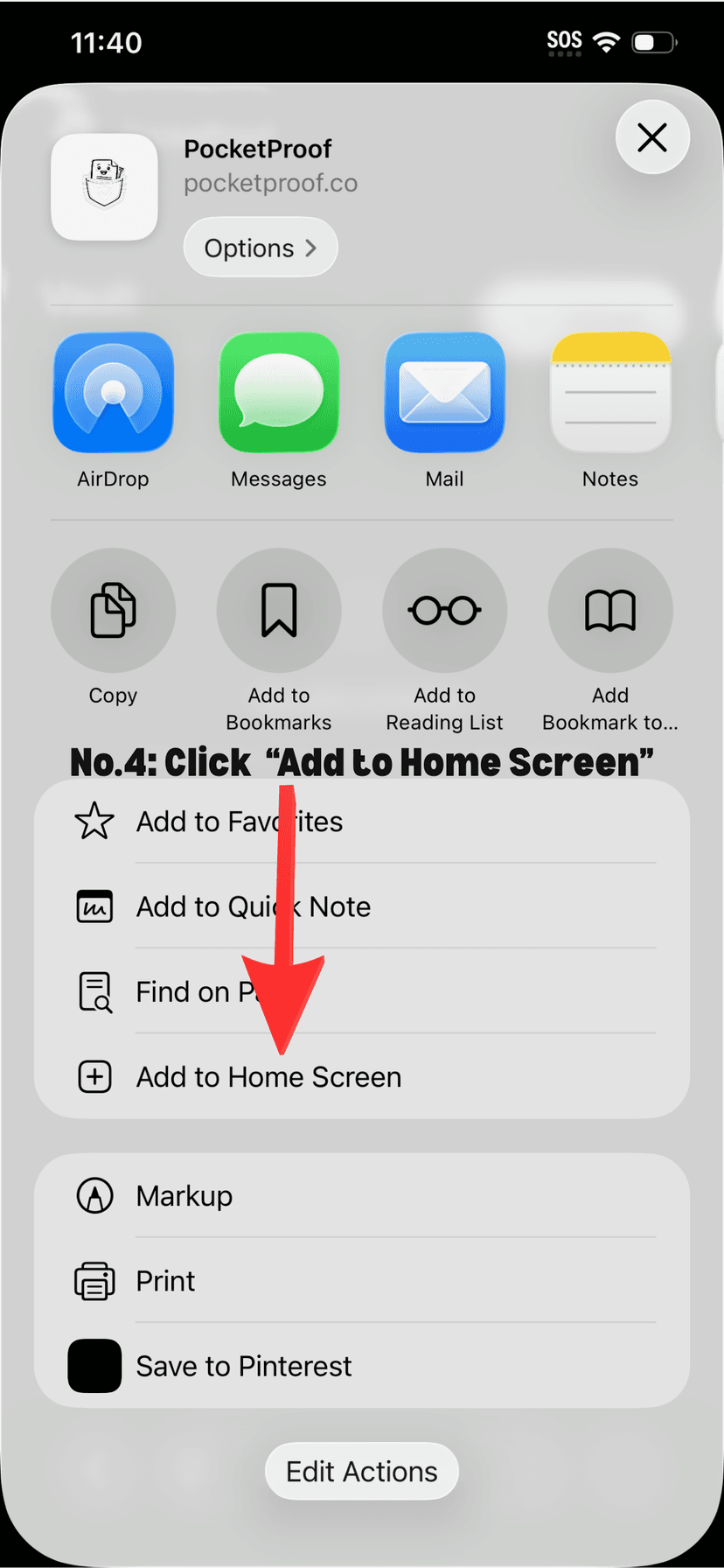
4
Add to Home Screen
Tap "Add to Home Screen"
5
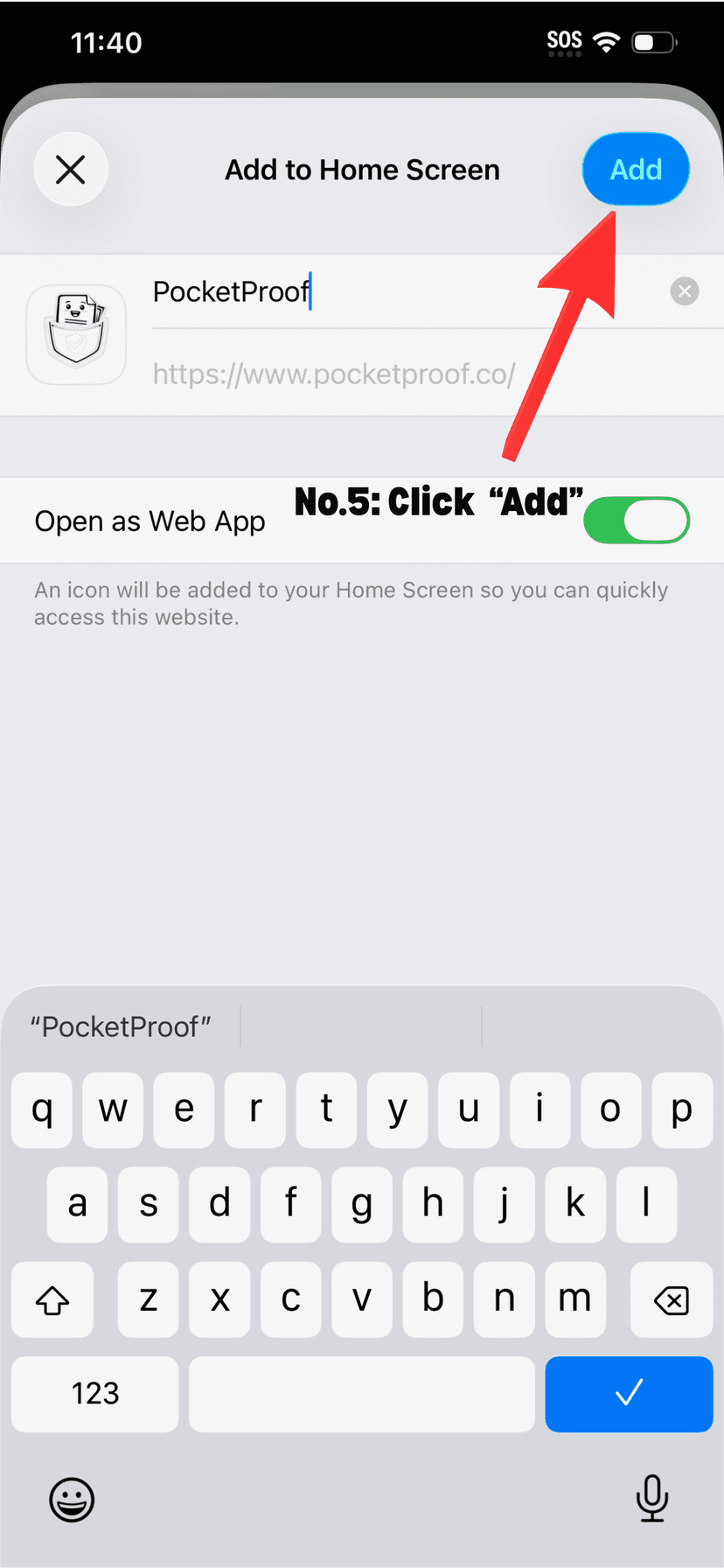
Confirm the name
Tap "Add" in the top right corner
6
Done!
PocketProof is now on your home screen
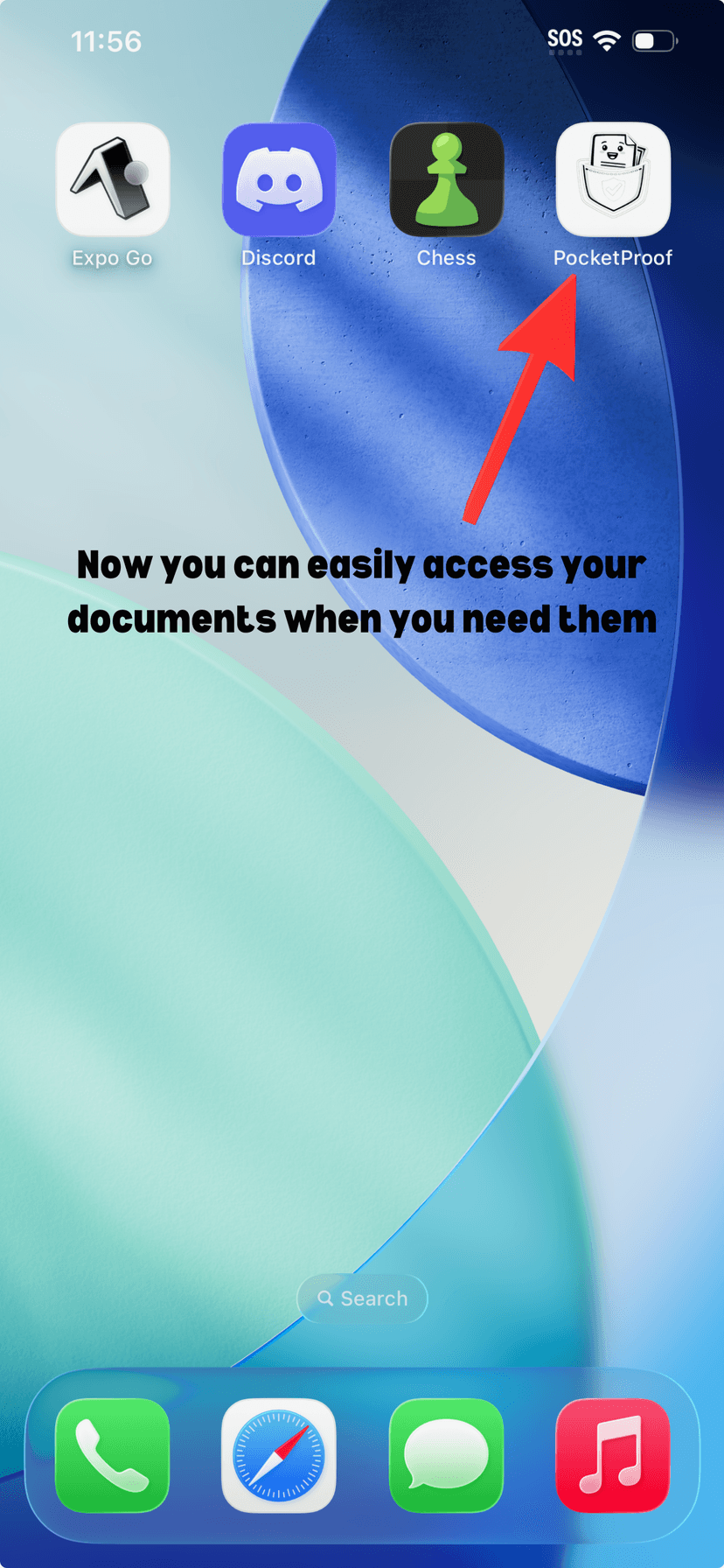
Already installed? Open PocketProof from your home screen.
Get Started